Free · macOS
F1 Tracker, right in your menu bar
The next session's countdown, the weekend schedule and both championships — a click away, all season long.
Coming soon
macOS 14 Sonoma or later · Apple silicon & Intel
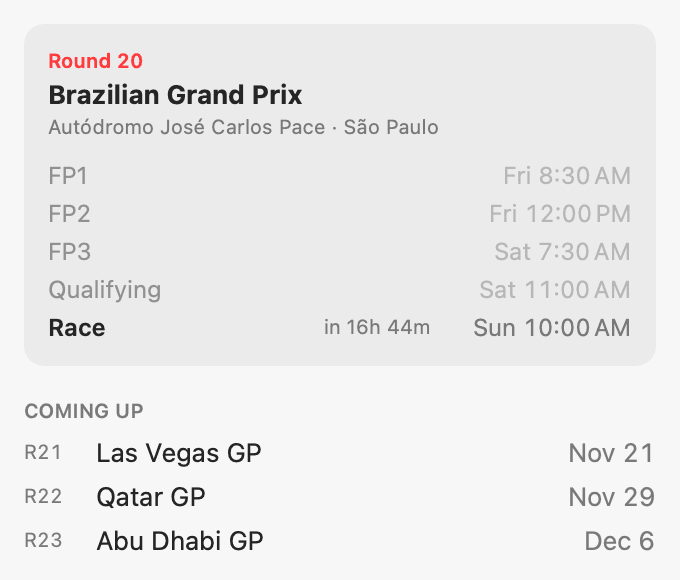
Countdown in your menu bar
Always know how long until the next practice, qualifying or race — without opening a tab.
Your time zone, automatically
Every session of the race weekend, converted to local time.
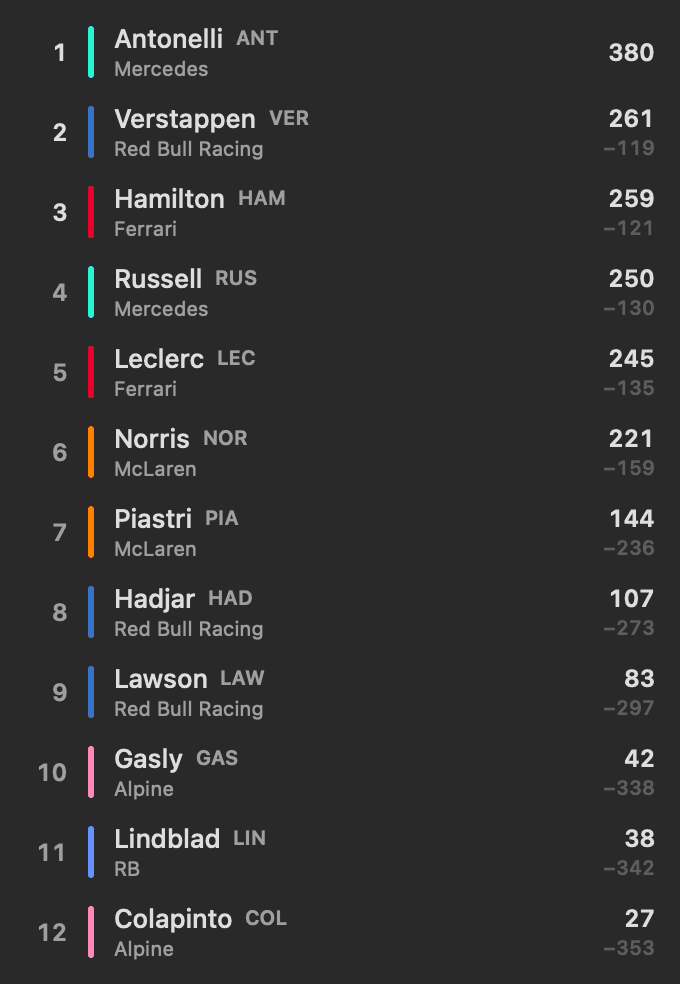
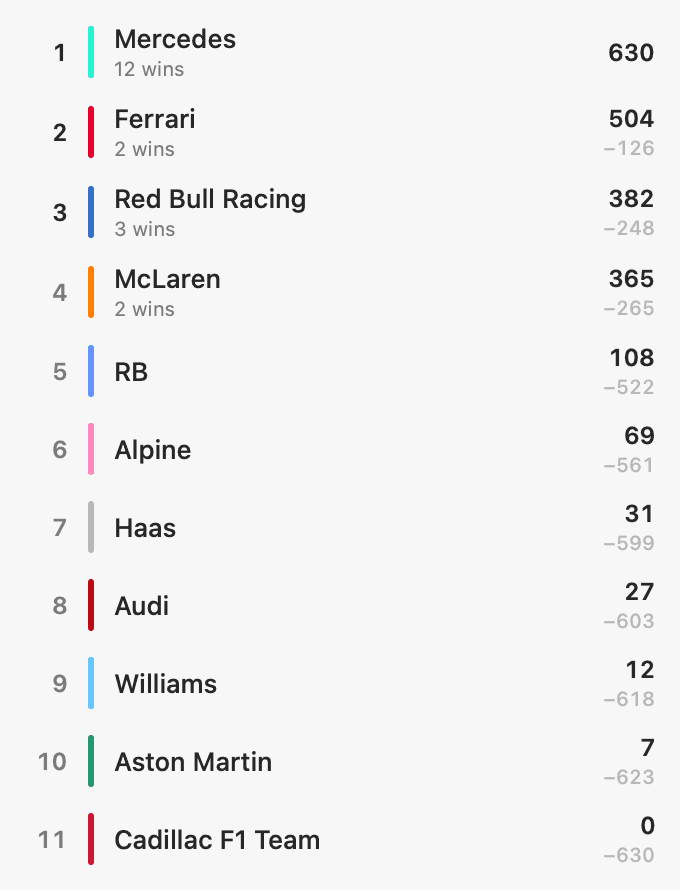
Standings at a glance
Driver and constructor tables with gaps to the leader, in team colours.
Tiny and quiet
Under a megabyte, no Dock icon, no account. One lightweight request keeps it current.
Installing
- Open F1-Tracker.dmg.
- Drag F1 Tracker into Applications.
- Launch it — it lives in your menu bar, not the Dock.
Signed with an Apple Developer ID and notarized by Apple. To remove it, quit from the menu and move it to the Trash.